

Pull request summary
Before presenting individual issues, Qodo provides context to help you understand what changed and why it matters. See Generate a PR summary for how this context is generated and configured.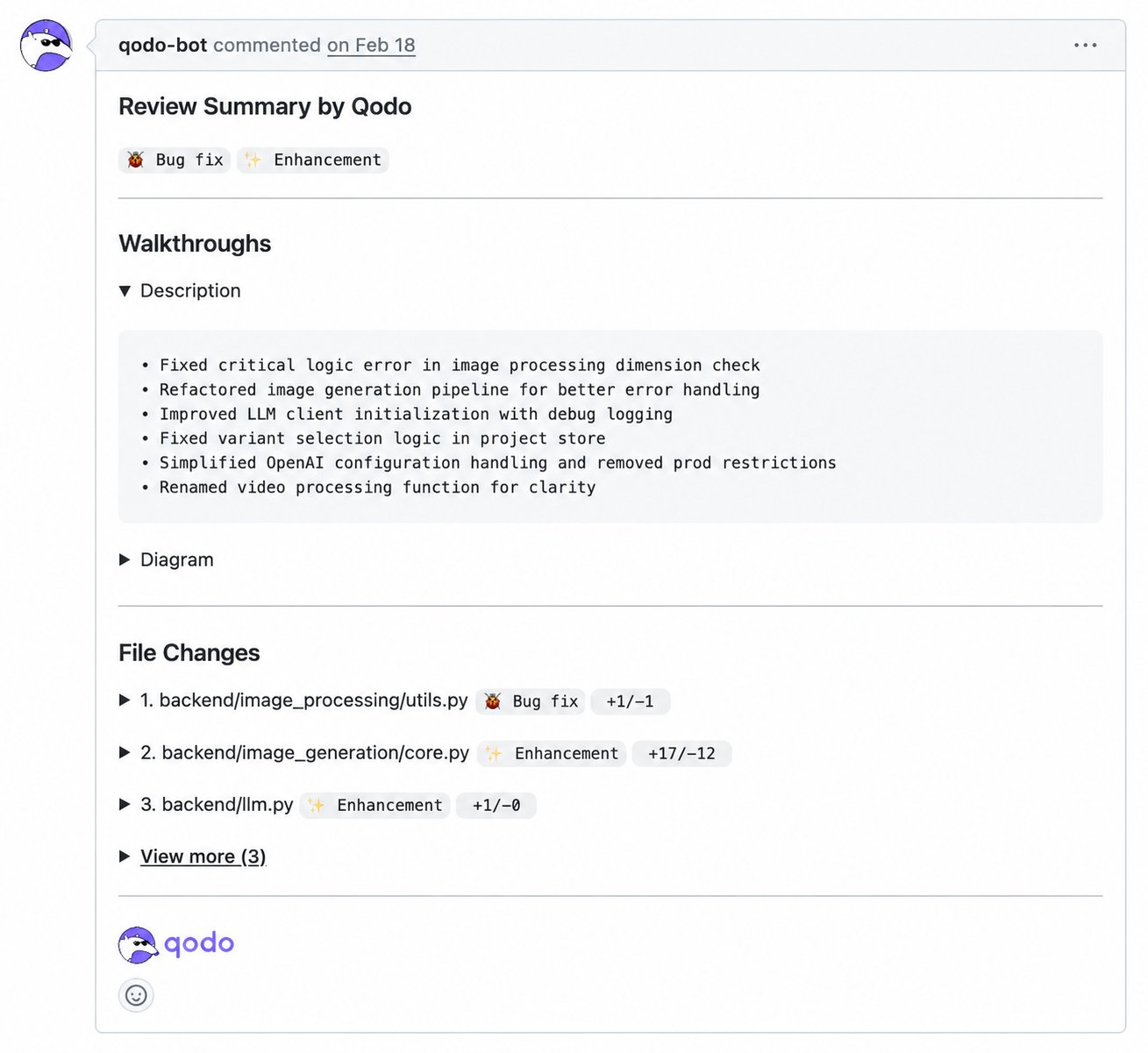
AI-generated description
AI-generated description
Qodo adds an AI-generated summary of the pull request’s intent and impact.
- By default, the summary is posted as a standalone comment and your original pull request description stays unchanged.
- You can also configure Qodo to merge the summary into the native pull request description.
Walkthroughs
Walkthroughs
Qodo breaks down the change in detail:
- Description: A plain-language breakdown of what changed and why.
- Diagram: An architecture diagram showing the flow and connections introduced by the change.
- High-Level Assessment: Suggestions and alternatives for the author and reviewer to consider before or during review.
File changes overview
File changes overview
Qodo provides a file-level overview of the pull request.For each modified file, you can see:
- The file path
- The type of change (for example, Bug Fix or Enhancement)
- Lines added and removed
Code review findings overview
After providing context, Qodo presents a findings overview covering category counts, the context behind the review, and each finding’s quality impact and severity.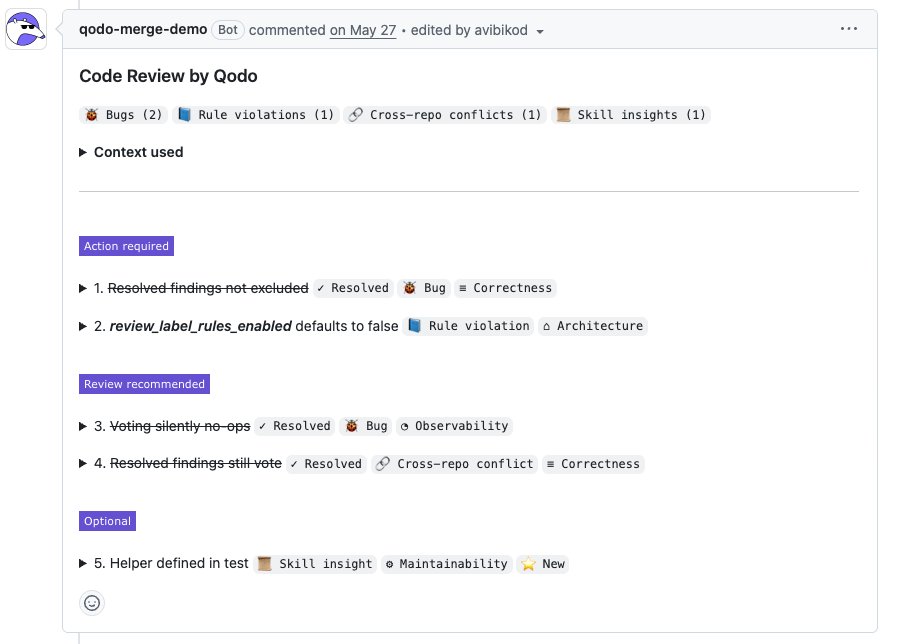
Counts by category
Counts by category
Findings are grouped by category, with counts for each type.
This overview gives you an immediate sense of the review’s focus and severity.
Context used
Context used
When a review draws on additional context, such as rules, skills, or cross-repo context, Qodo displays a Context used panel listing exactly what was applied.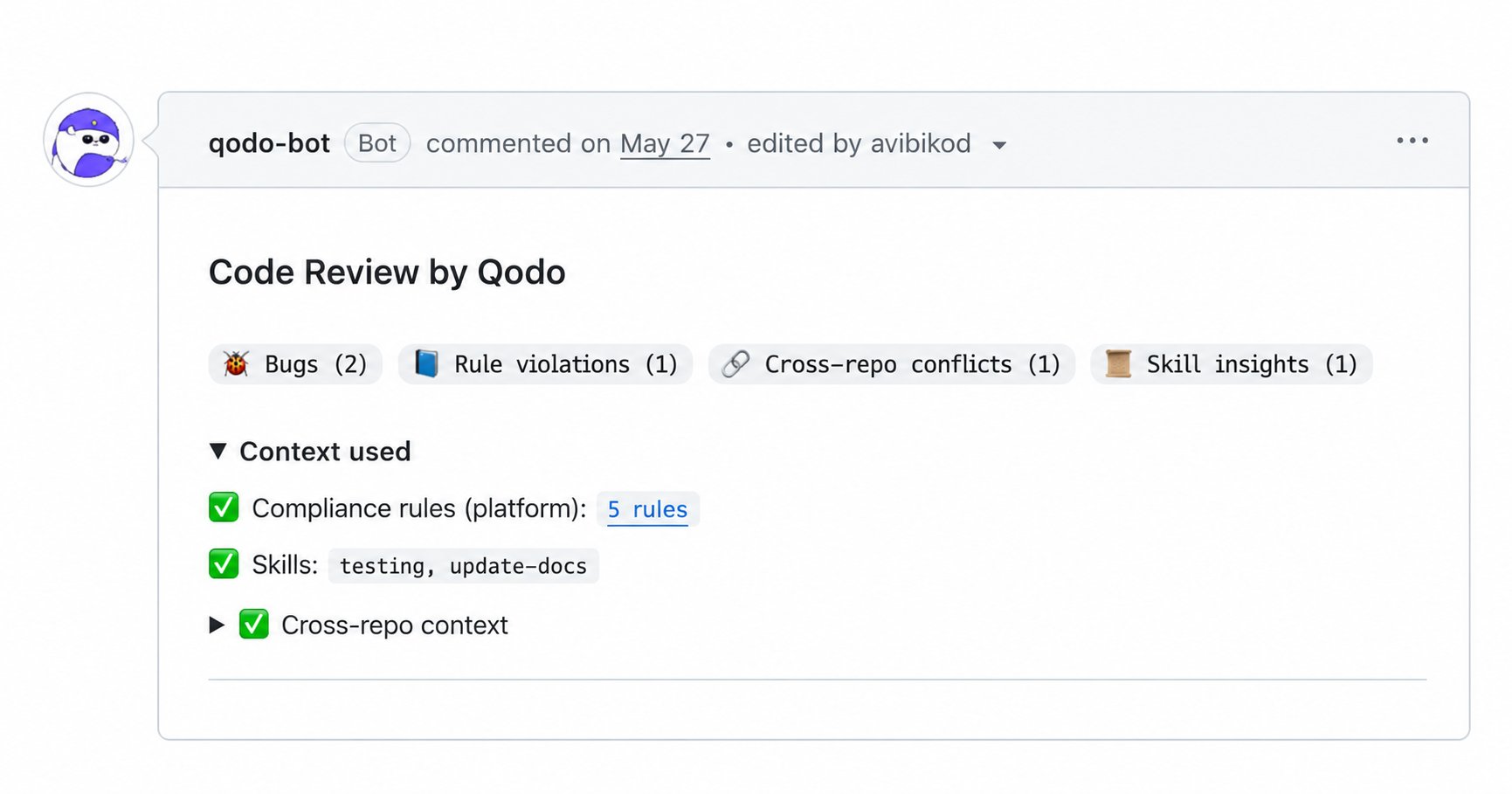
Quality impact labels
Quality impact labels
In addition to categories, each finding includes a quality impact label. This label indicates which quality dimension is affected by the issue.Common labels include:
These labels provide quick semantic context, helping you understand what kind of quality is impacted before diving into the full issue details.
Severity and prioritization
Severity and prioritization
Findings are grouped by priority, making it clear what needs attention first.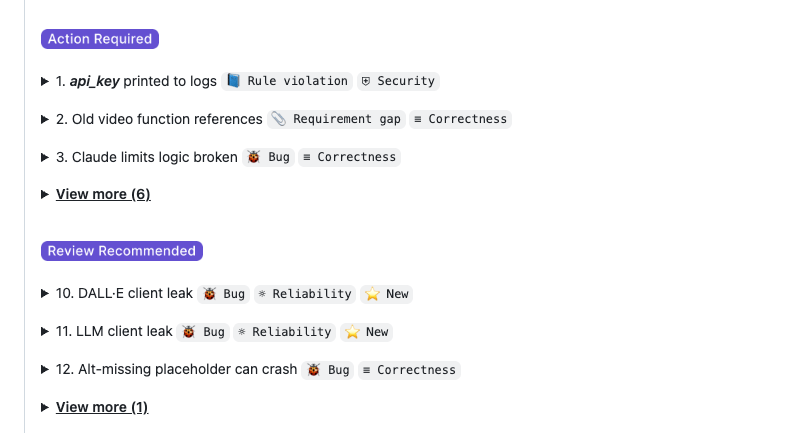
This prioritization helps you focus on what matters most without losing visibility into the full set of findings.
Resolved findings
Resolved findings
As you push new commits, resolved findings stay in this list with a strikethrough, so you can see what’s been addressed without losing track of the full review.
Unpack a code review finding
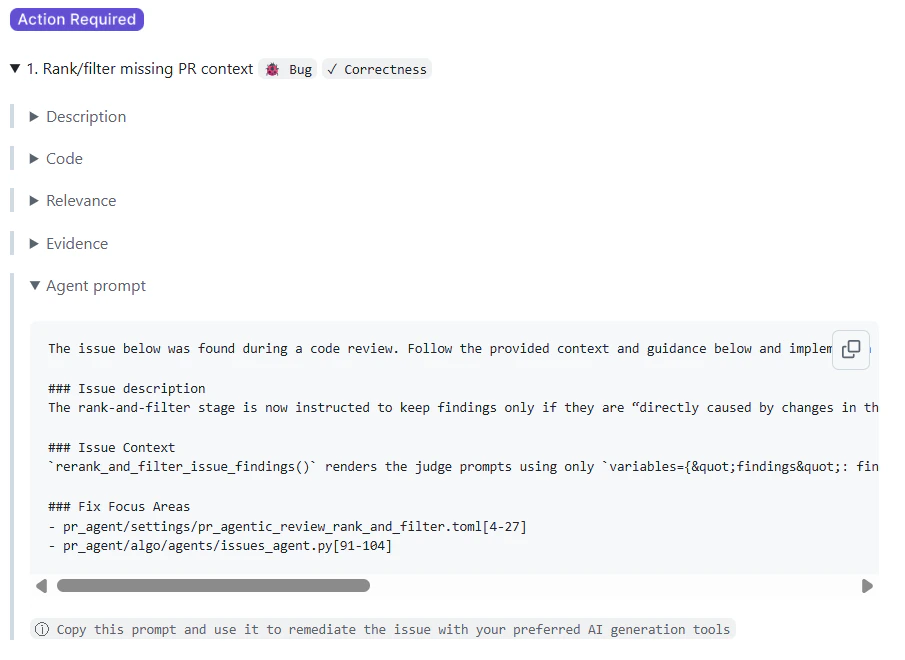
Each finding can be expanded to reveal full details. You can access findings:- From the prioritized summary list
- Inline, directly in the Files changed view
- Description
- Code references
- Relevance
- Evidence
- Agent prompt
- Committable suggestion
A clear, human-readable explanation of the issue and its potential impact.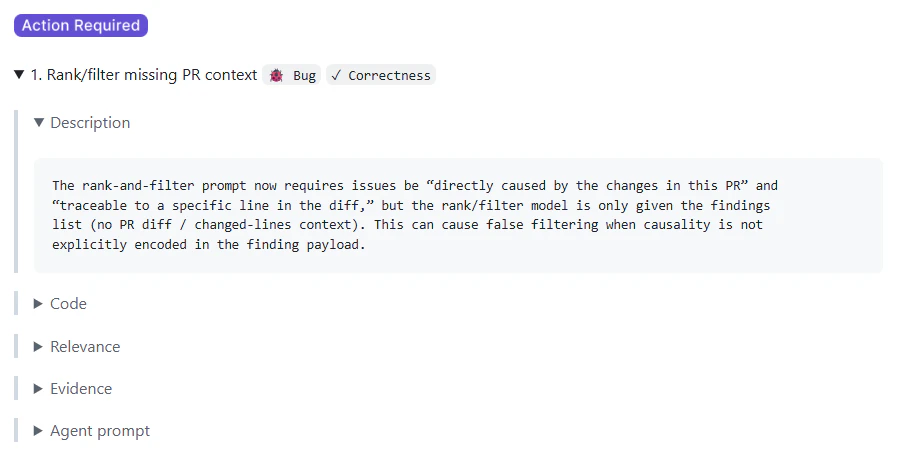
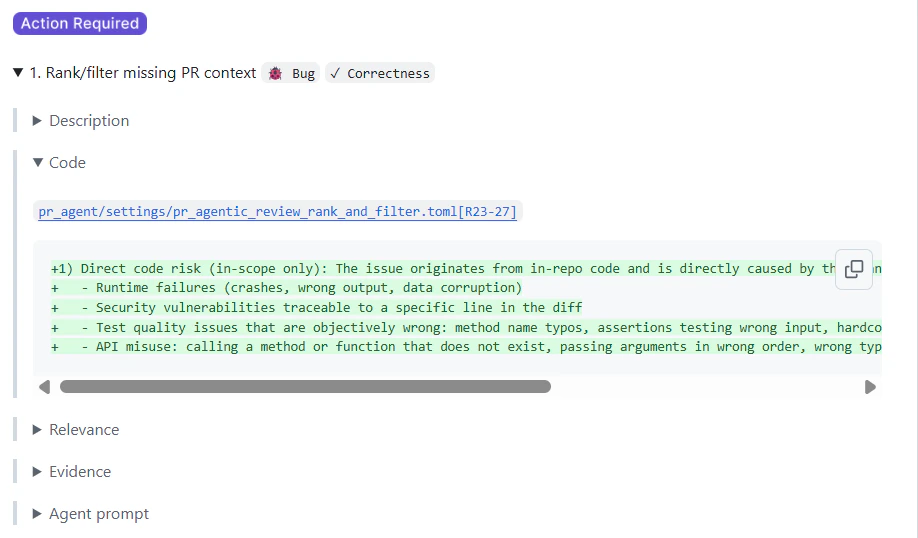
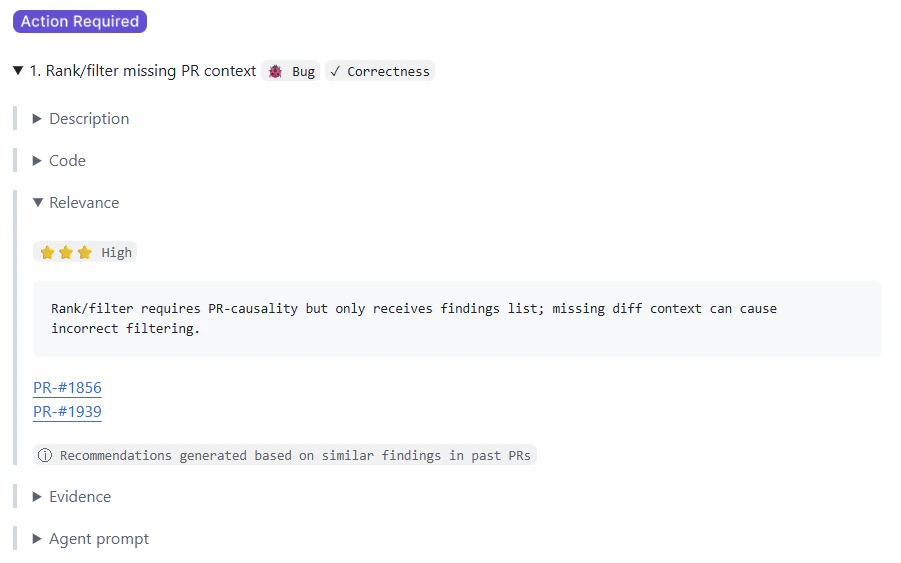
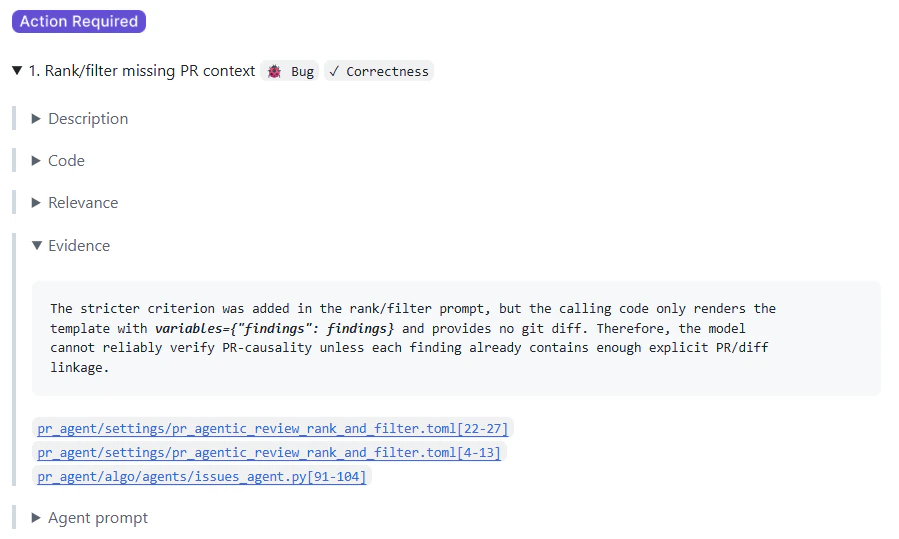
Findings from all pull requests are also tracked centrally in the Qodo portal. See Monitor organization-wide pull request findings to filter and monitor findings across all repositories.
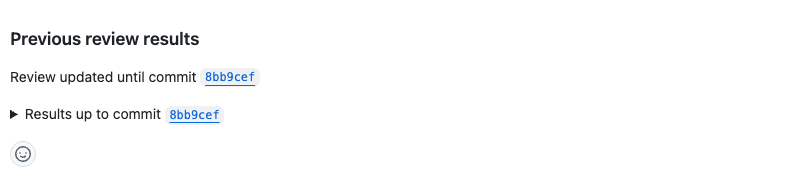
Previous review results (formerly Audit trail)
Qodo keeps a collapsible Previous review results section in the comment, showing the history of past review runs on the pull request:- Shows which commit the current review reflects.
- Each earlier commit has its own collapsible Results up to commit entry.
- Expanding an entry surfaces the full set of findings from that earlier review run.
Related resources
- Relevance: See how Qodo classifies a finding’s relevance based on past pull requests.
- Configure Qodo using the portal: Set findings visibility, severity thresholds, and verbosity from one place.
- Rule enforcement: Learn how rules are created and enforced.
- Persistent review comments: Configure how the Previous review results section updates across commits.