

How to use Generate Labels
Manual usage
You can trigger label generation directly from the pull request using a comment command:Enabling custom labels
Qodo supports custom labels in two different ways, depending on how you manage configuration in your environment. Repository configuration file You can enable and configure custom labels directly at the repository level. To do this, apply the relevant configuration changes in the local.pr_agent.toml file in your repository.
Repository labels page
Platforms supported: GitHub, GitLab
- GitHub:
https://github.com/{owner}/{repo}/labels, or click the Labels tab in the issues or PR’s page. - GitLab:
https://gitlab.com/{owner}/{repo}/-/labels, or click Manage and then Labels from the left menu.
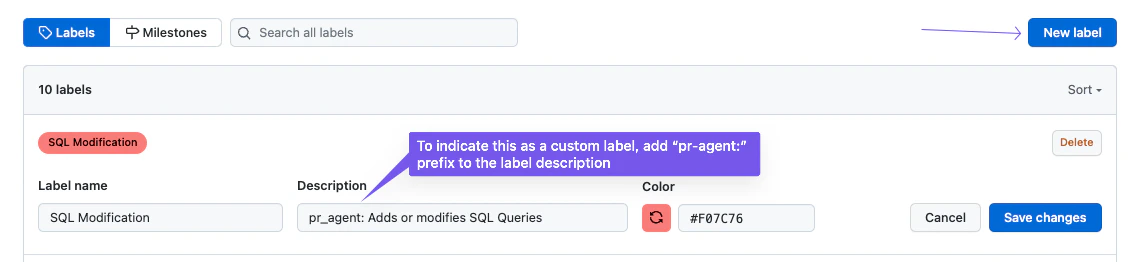
pr_agent:. This prefix is how Qodo tells label candidates apart from the rest of the repository’s labels, and applies only to this configuration method.
Example (GitHub or GitLab label description): pr_agent: Suggest this label when the PR introduces authentication/authorization logic, handles secrets, touches crypto, or modifies security-sensitive endpoints.
Custom label format
When defining custom labels in.pr_agent.toml, use the following format:
- Label name: The name of the custom label.
- Description: A comprehensive, detailed description explaining when Qodo should suggest this label for a pull request.
- Label name:
security - Description:
Suggest this label when the PR introduces authentication/authorization logic, handles secrets, touches crypto, or modifies security-sensitive endpoints.
Using label generation
After adding custom labels, they become available for use by Qodo’s label generation feature. In your repository’s.pr_agent.toml file:
- Set
enable_custom_labelstoTrue: This will disable the default labels and enable the custom labels you define. - Add the custom labels. It should be formatted as follows:
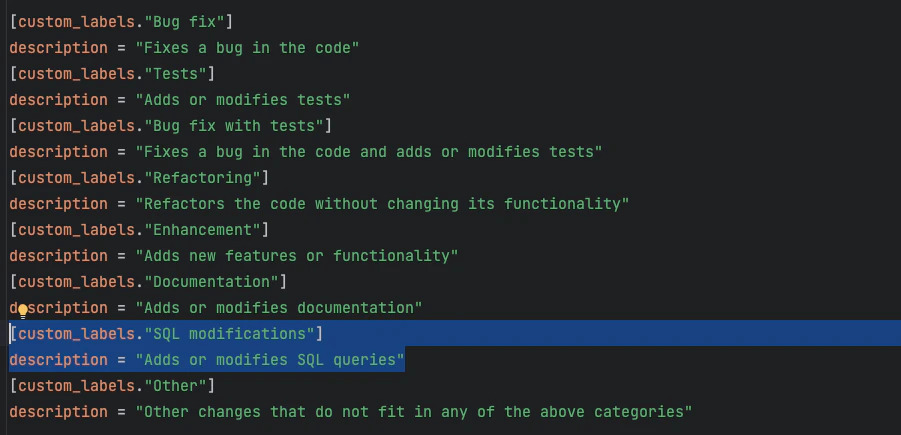
generate_labels feature runs on a pull request that includes SQL-related changes, Qodo will automatically suggest this custom label:
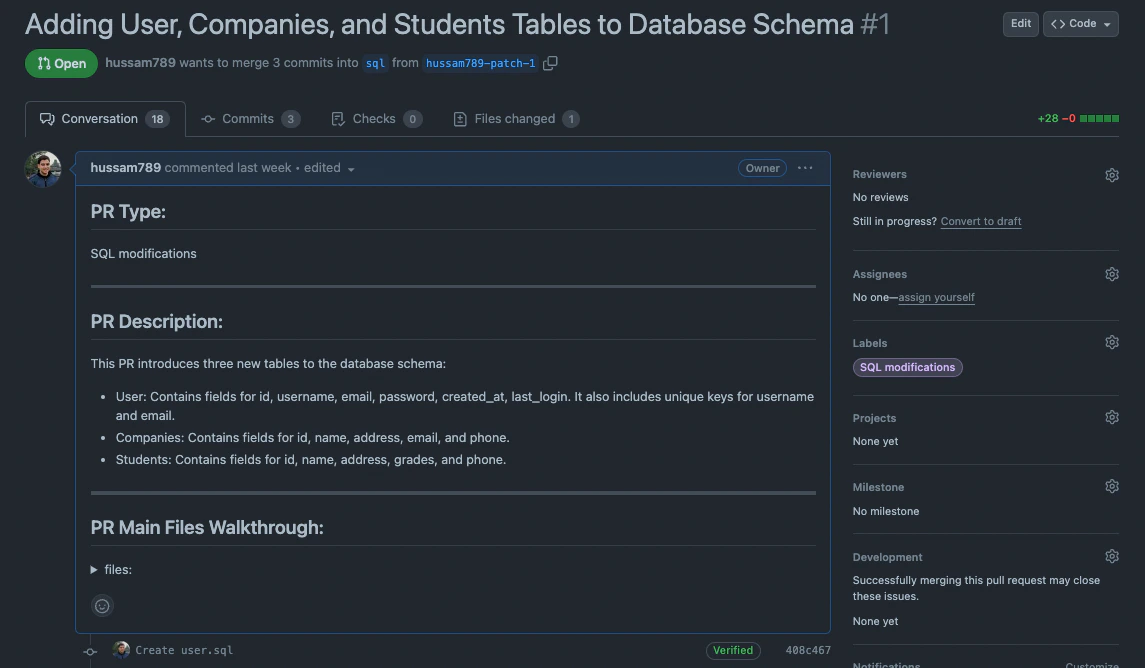
Note that custom labels are not only used by
generate_labels. They are also taken into account by the PR description feature, helping enrich summaries and classifications.