

Roles by subscription plan
Supported roles
Organization admin
Available on: Enterprise Organization admins manage the Qodo organization and have full administrative access. They can:- Manage organization settings.
- Create and manage teams.
- Invite and remove users.
- Assign Organization admin and Team owner roles.
- Configure authentication, including SSO and API keys.
- Manage organization-wide code review settings.
Organization member
Members are standard users in a Qodo account. They can:- Access the Qodo portal features available to their team.
- View and manage the repositories available to their team, based on their assigned permissions.
- Repository access for automated code review is determined by the Git integration and repository installation, not by Qodo account membership.
Team owner
Available on: Enterprise Team owners help manage users and settings within their assigned team. They can:- Add and remove users from their team.
- Manage team-related settings delegated by an Organization admin. They can invite external users to their own team and by that to the organization.
Team member
Team Members belong to the team assigned by the Team owner. They can:- Access the Qodo portal features available to their team.
- View and manage the repositories available to their team, based on their assigned permissions.
Delegate edit permissions
Requires Organization admin role.
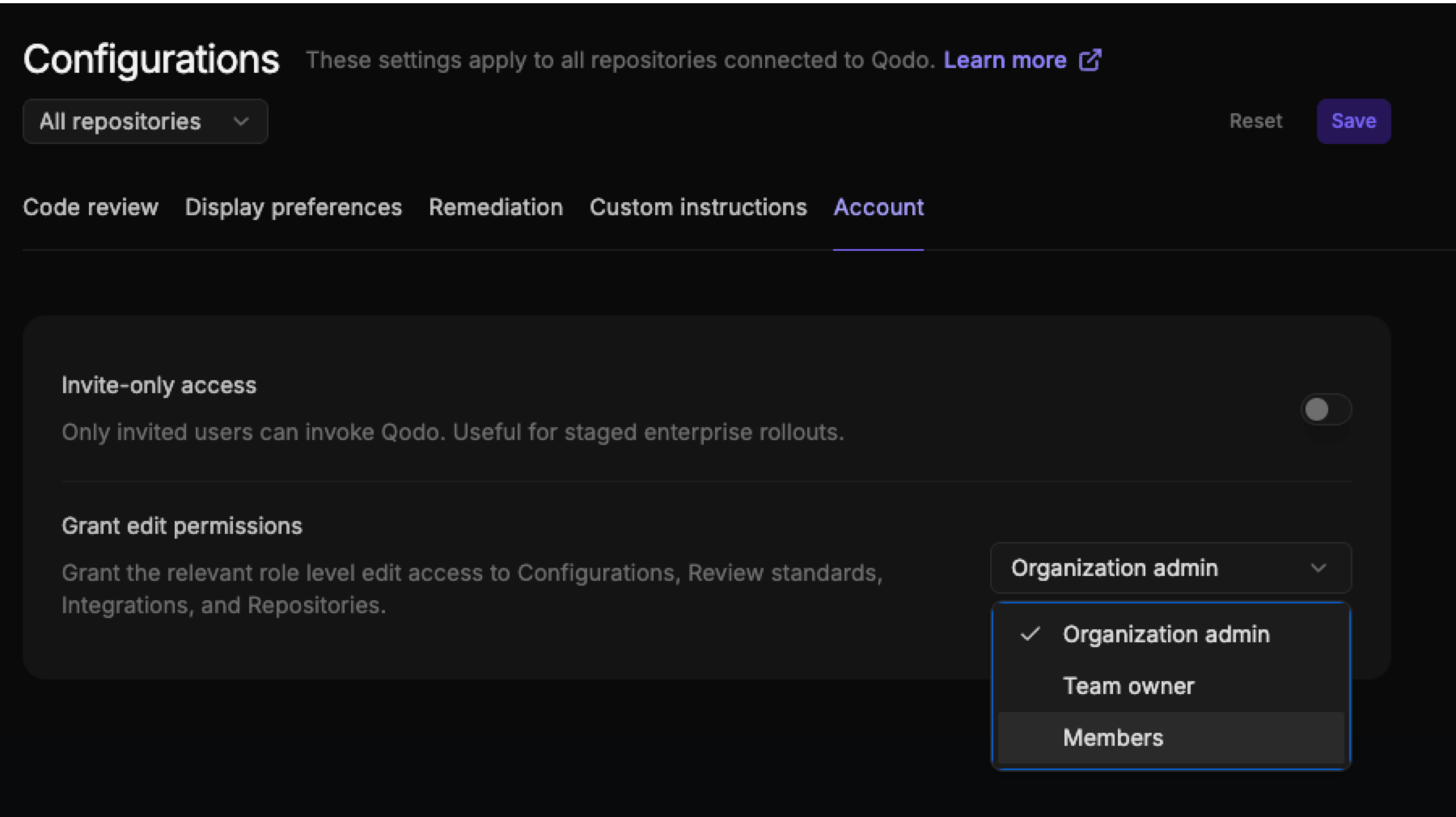
Setting Grant edit permissions to Members allows all account users to edit the Repositories and Configurations pages, including installing and managing Git integrations.
To grant edit permissions:
- Log in to the Qodo portal.
- Navigate to Configurations > Account tab.
-
From Grant edit permissions list, select the required permission level.
- Click Save.